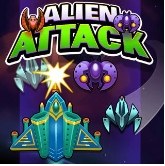
Alien Attack is a pure arcade space shooter where you blast waves of alien ships while dodging dense bullet patterns and collecting power-ups. It suits players who love chasing high scores through pattern recognition and quick reactions, with no story or permanent upgrades to grind. Skip it if you need narrative depth, play on an older phone, or get frustrated by occasional frame stutters and tight hitboxes.
Cracking Open Alien Attack: What the First Minute Actually Feels Like
You click start and the screen fills with the deep black of space, dotted with a few distant stars that don't do anything except look pretty. There's no story crawl, no voiceover explaining why you're here. Just your ship—a small, angular fighter that's probably seen better days—centered at the bottom of the screen, and a single green laser bolt that fires when you jab the spacebar. I remember thinking "okay, standard stuff" right before the first wave of alien craft screamed down from the top-left corner and I was dead within forty seconds.
That's the real introduction. The game doesn't care if you're ready. By the one-minute mark, you've probably died twice and started to notice something specific: your ship isn't sluggish, exactly, but there's a tiny hesitation between when you press a key and when the sprite actually moves. We're talking fractions of a second, but in a shooting game where enemy patterns get dense fast, that micro-delay is the difference between slipping through a gap and eating a plasma ball. On my first few runs, I kept blaming myself for bad reflexes. It wasn't until I switched browsers that I realized half my deaths weren't my fault at all.
The audio hits you at the same time—a chiptune-esque pulse that speeds up as more enemies flood the field. The sound effects are crisp: your laser has a satisfying pew, enemy explosions crackle with static, and when you take a hit, there's a low, ugly thud that makes you wince. No voice acting, no ambient chatter. Just synth loops and combat noise. It's efficient. Within two minutes, your hand is gripping the keyboard harder than it needs to, and you're already thinking about one more try.
The Loop That Keeps You Pulling the Trigger
Alien Attack runs on a simple wave-based structure, but what's actually happening under the hood matters more for performance than most players realize. Each wave spawns a set number of enemy ships—sometimes in V formations, sometimes in staggered lines, occasionally in chaotic clusters that move unpredictably. You destroy them, collect the occasional power-up orb they drop, and survive long enough to see the next wave roll in with faster enemies and trickier patterns.
What you're really optimizing for isn't just score. It's frame stability. I noticed around wave 12 that my browser started chugging hard—enemy movement got jerky, my laser fire stuttered, and collision detection became inconsistent. That's because the game is spawning more sprites, more particle effects from explosions, more on-screen projectiles, and your browser's JavaScript engine is trying to keep up with all of it. If you're playing on a tab that's been open for three hours with fifteen other tabs eating memory in the background, you're going to feel it here first.
The power-ups add another layer. You'll see three main types: a rapid-fire upgrade that turns your single-shot laser into a spray, a shield that absorbs one hit, and a score multiplier that doubles points for a limited window. The rapid-fire upgrade feels essential by wave 15, but it also introduces more projectiles on screen, which can actually tank your frame rate further if your system is already struggling. It's a weird tradeoff—the thing that helps you survive also makes the game harder to run smoothly. I started skipping the rapid-fire intentionally on my laptop just to keep the game playable past wave 20.
Where Most Runs Die (And It's Not Where You Think)
Everyone expects to die in the later waves when the screen is a bullet-hell mess. But honestly, most of my deaths came between waves 3 and 7, and they were almost always the same mistake: I chased a power-up orb into a corner. The orb drops from a destroyed enemy and floats downward slowly, and your brain screams "grab it" because the rapid-fire upgrade is sitting right there. But the next wave spawns immediately, and if you're hugging the left or right edge of the screen when six fighters materialize directly above you, there's no escape route. You're pinned.
The second common killer is tunnel vision on a single enemy. Alien Attack's later waves mix slow, tanky ships that take multiple hits with fast, fragile scouts that zip across the screen. If you lock onto the tank and ignore the scouts, two of them will sweep in from the sides and collide with you before you even register them. Your ship's hitbox is larger than it looks—the wings count, not just the cockpit—so grazing collisions happen more often than you'd expect.
There's also a reload mechanic that isn't explained anywhere. After firing continuously for about four seconds, your laser pauses for a split second before resuming. It's not a traditional reload bar; it's just a tiny cooldown window. If you're holding down the fire key constantly, you'll miss shots during that gap, and enemies slip through. Tapping the fire key in bursts instead of holding it down keeps your damage more consistent. I wish I'd figured that out before my tenth run.
One more thing: audio cues matter more than visual ones for certain enemy types. There's a specific high-pitched whine that plays when the fast scouts enter the screen from behind your ship. If you're playing with sound off or low, you'll miss it entirely and die to something you never saw coming. I played a few rounds on mute while listening to a podcast, and my survival rate dropped by half.
Phone vs Desktop: The Gap Is Bigger Than You'd Think
I tested Alien Attack on three setups: a mid-range desktop with Chrome, an older laptop with Firefox, and an Android phone using the default browser. The differences weren't subtle.
On desktop, the keyboard controls are snappy when the browser is fresh. Arrow keys move your ship, spacebar fires, and you can hold both simultaneously without ghosting issues on most modern keyboards. The bigger screen means you can see enemy formations further in advance, which gives you a genuine tactical edge. I cleared wave 18 on my desktop without much trouble.
The laptop was a different story. Firefox handled the game surprisingly well until around wave 10, then started dropping frames during heavy explosion sequences. The smaller screen also compressed the play area, making dodging feel tighter and less forgiving. Not unplayable, but noticeably harder.
On mobile, the game switches to touch controls: a virtual joystick on the left and a fire button on the right. The joystick isn't fixed—it follows your thumb position—which sounds nice in theory but meant my thumb occasionally drifted and my ship lurched in directions I didn't intend. The fire button also has a slight delay that doesn't exist with a keyboard, maybe 50-80 milliseconds. On waves with dense bullet patterns, that delay is brutal. I couldn't get past wave 11 on mobile, and half my deaths felt like the game fighting my inputs rather than my own mistakes.
If you have the choice, play this on a desktop browser with hardware acceleration enabled and as few background tabs as possible. Close anything streaming video or audio. Restart the browser if it's been running for hours. These sound like tiny optimizations, but in a game where frame drops directly translate to unfair deaths, they matter.
Who Should Actually Play This (And Who Should Scroll Past)
Alien Attack will click with you if you enjoy arcade shooters where the difficulty comes from pattern recognition and quick reactions rather than deep upgrade trees or narrative progression. There's no meta-progression here—no permanent upgrades, no currency to grind, no unlocks beyond what drops mid-run. Every session starts from zero. That purity is either exactly what you want, or it'll feel empty after twenty minutes.
If you like chasing high scores and beating your own records, the game gives you enough wave variety to keep that interesting for a while. The enemy formations don't repeat exactly; there's some randomization in spawn positions and movement speed, so wave 7 never plays quite the same way twice. But the core loop doesn't evolve beyond "shoot, dodge, collect orbs, repeat." By wave 25, I'd seen all the enemy types the game had to offer, and the challenge was purely about execution rather than discovery.
Skip this one if you need a story, characters, or any kind of narrative payoff. Also skip it if you're on an older phone or a Chromebook with limited RAM—the performance issues will frustrate you more than the enemies will. And if you're prone to rage-quitting when deaths feel slightly unfair, the occasional frame stutter and hitbox ambiguity will probably push you over the edge.
But if you want a free browser game that you can play in short bursts during a lunch break, and you're willing to tweak a few settings to get it running smoothly, Alien Attack delivers a solid arcade challenge. It's not trying to be more than it is, and I respect that.
A 10-Minute Practice Plan That Actually Builds Muscle Memory
After dying enough times to feel qualified, I worked out a short practice routine that helped me push from wave 12 to wave 23 in about an hour. It's broken into three focused sessions, each about three minutes long, with a one-minute break between them. Do this once a day for a week and you'll notice real improvement.
Minutes 0–3: Edge Discipline Drills. Start a run and don't try to survive past wave 5. Instead, focus entirely on staying in the middle third of the screen. Every time you drift left or right to chase a power-up or dodge an enemy, immediately correct back to center. Let orbs fall off-screen if they're near the edges. The goal isn't score; it's rewiring your instinct to flee into corners when you panic. You'll die a few times doing this. That's the point. By the third minute, centering should start to feel automatic.
Minutes 4–6: Burst Fire Only. Restart and play normally, but forbid yourself from holding the fire key. Every shot must be a deliberate tap, even during intense waves. This forces you to learn the cooldown rhythm and also naturally slows your brain down when the screen gets chaotic. You'll miss some enemies at first and take hits you could have avoided, but after a few runs, your accuracy improves because you're aiming each burst instead of spraying. Pay attention to the audio cue when your laser resets—that's your timing signal.
Minutes 7–9: Scout Listening. Turn your screen brightness down slightly so you're forced to rely more on sound. Play waves 1 through 8 with your eyes on the center of the screen, not tracking individual enemies at the edges of your vision. Listen for that high-pitched scout whine and dodge preemptively when you hear it, even if you don't see the ship yet. This builds a reflex that'll save you in later waves when scouts come from multiple angles.
Minute 10: Browser Reset. Close the tab, clear your browser cache for the game's URL (or just restart the browser entirely), and open a fresh window with nothing else loaded. This is part of the practice plan because running clean matters. If you've been practicing for nine minutes with frame drops, you've been learning slightly wrong timing. A fresh session gives you the game as it's meant to run, and your next full attempt will feel noticeably smoother.
I did this routine four times across two days, and my average wave count jumped from 14 to 19. The biggest factor wasn't faster reflexes—it was dying less to the same three mistakes I used to make every run. Alien Attack punishes repetition of bad habits more than it rewards flashy dodging, and ten focused minutes a day will clean those up faster than two hours of frustrated grinding.